Android download guide
Get Snaptube
for Android
Download a video as MP4 or save just the audio as MP3. Play your downloads offline whenever you’re away from Wi-Fi.

- Platform
- Android phones and tablets
- File formats
- MP4 video and MP3 audio
- Playback
- Offline
Install in 3 steps
Follow these steps on your Android phone.
-
Download the APK
Tap Download APK to save the file to your Android phone.
-
Open the file
Open the APK from your Downloads folder and follow the installation prompts.
-
Start using Snaptube
Open the app, find content you have permission to download, and choose a file format.
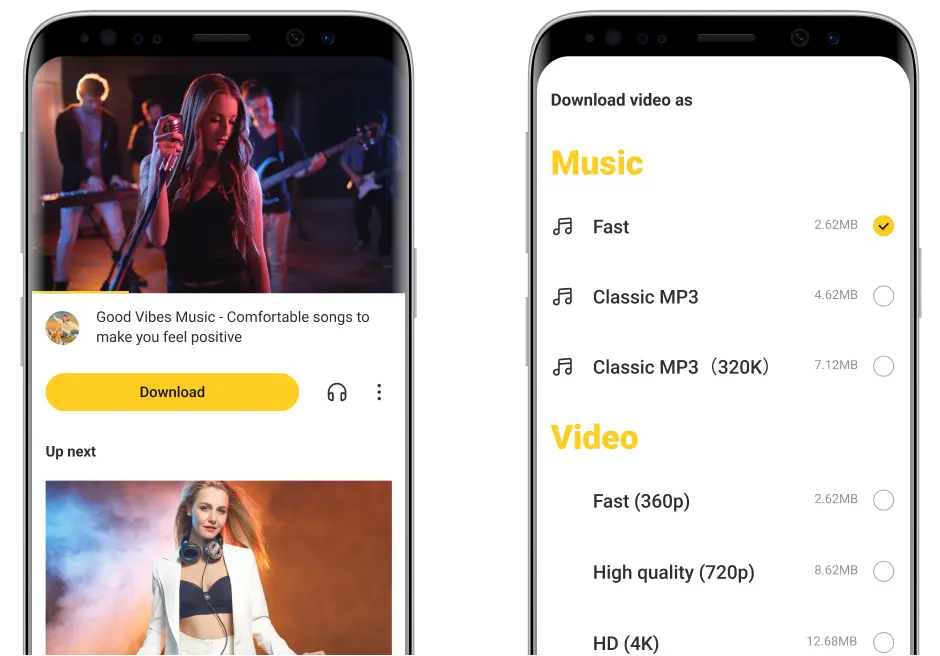
Video and audio options
- MP4 and MP3
- Save the video as an MP4 or download the audio as an MP3.
- Resolution options
- Choose a lower resolution to save space or a higher one for a clearer picture, depending on what’s available.
- Offline playback
- Play downloaded files in the app without an internet connection.
Ready to play offline
Download something to watch or listen to while you have a connection, then open it in Snaptube when you need it.
For a flight or commute
Save a video over Wi-Fi before you leave. Choose MP4 to keep the picture and sound together, then watch it when you’re offline.
For listening on the go
Choose MP3 for a talk or a track you have permission to download. An audio-only file typically takes up less space than the full video.
Frequently asked questions
Which devices support Snaptube?
This guide covers Android phones and tablets. Check the APK’s Android version requirements before installation.
Where can I download the APK?
Use one of the Download APK buttons on this page on your Android device.
Where do I find the APK after downloading?
Open your browser’s downloads list or the Downloads folder in your file manager. Tap the APK file to start installation.
What if Android asks for installation permission?
If you trust the source of the APK, follow Android’s prompt to allow installation from the browser or file manager you used to open it. You can turn off that permission after installation.
Can I choose the video resolution?
Yes. Available resolutions vary by video. To download audio only, choose one of the available MP3 options.

Snaptube for Android
Open the downloaded APK on your Android phone and follow the installation prompts.